Custom internal system · in production
The route closes itself and the driver sells without signal: an ERP for a wholesale distributor
From a spreadsheet with three blocks of columns pasted side by side to a system where inventory, routes, customer credit and cash reconcile. Nineteen modules in six phases, in production since August 2026.
- Client
- Distribuidora del Golfo
- Industry
- Wholesale and retail distribution with route sales · Morelos, Mexico
The problem
The scope document said it in one line: control was manual and scattered across four fronts at once: inventory, routes, customer credit and cash.
- Warehouse and truck inventory lived outside any system; knowing what left, what sold and what came back depended on someone reconciling it by hand.
- Customer credit (limit, terms, balance, due dates) had no single place and no rule preventing over-extension.
- Cash handed in by each driver at the end of the day was never automatically compared against what was owed.
- The business wanted to grow in routes and catalog, and manual control does not scale.
- Two field conditions ruled out off-the-shelf software: drivers work in areas without signal, on mixed Android and iPhone devices, and the business has its own rules (prices per truck, commissions per driver or product, per-route driver meal allowance, drivers do not extend credit on the street).
Before
- Inventory: one spreadsheet with three blocks of columns pasted side by side: catalog, route inventory and weekly sales. One price per product, no wholesale/retail or warehouse/truck distinction, no purchase costs.
- Routes, credit and cash: manual and scattered, as the agreed scope stated.
What we built
| Phase | Delivered working |
|---|---|
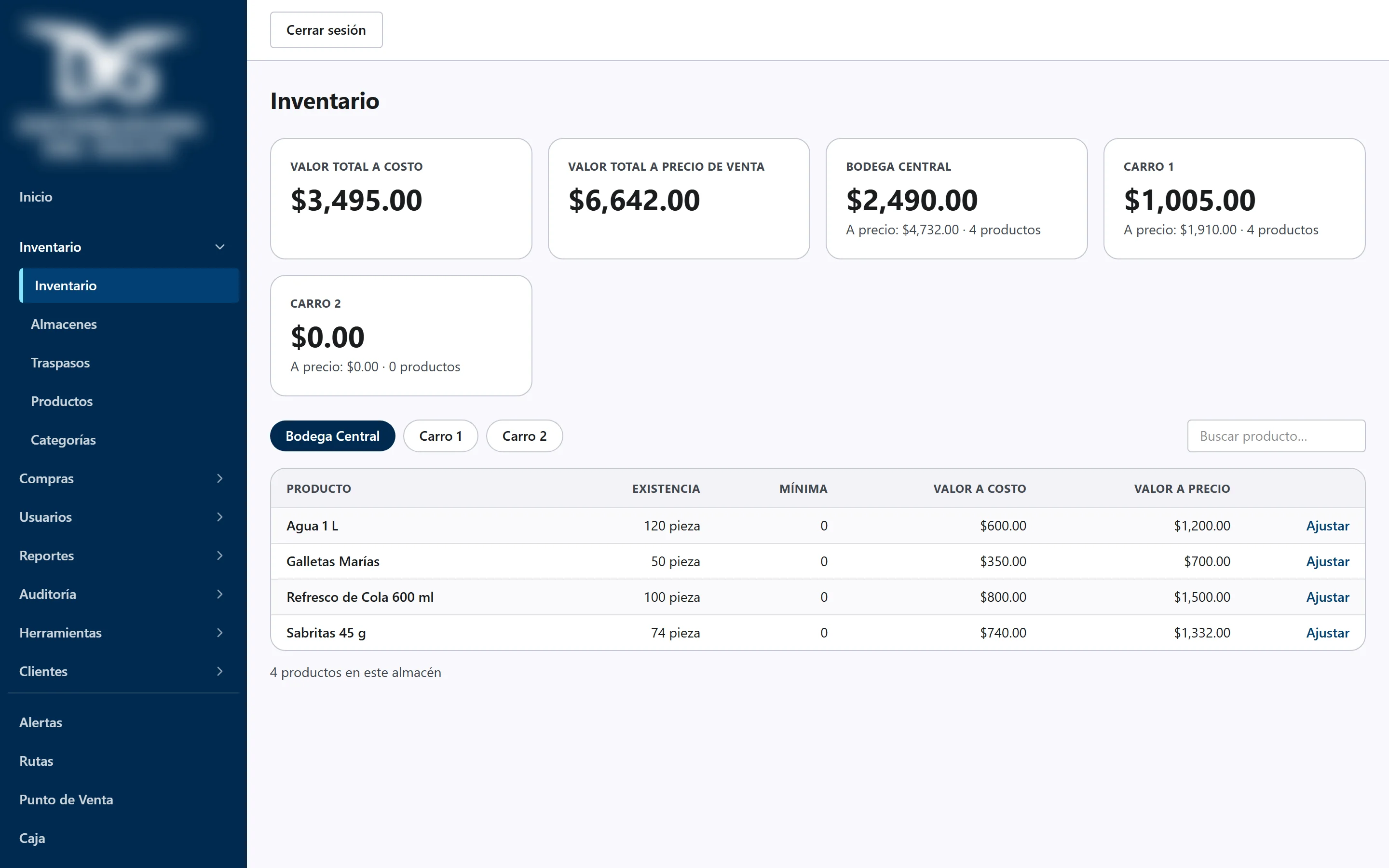
| 1. Core and catalog | Database and role-based access. Products and categories. Independent inventory per warehouse (central and each truck) with wholesale and retail prices per product per warehouse, minimum stock and valued inventory. |
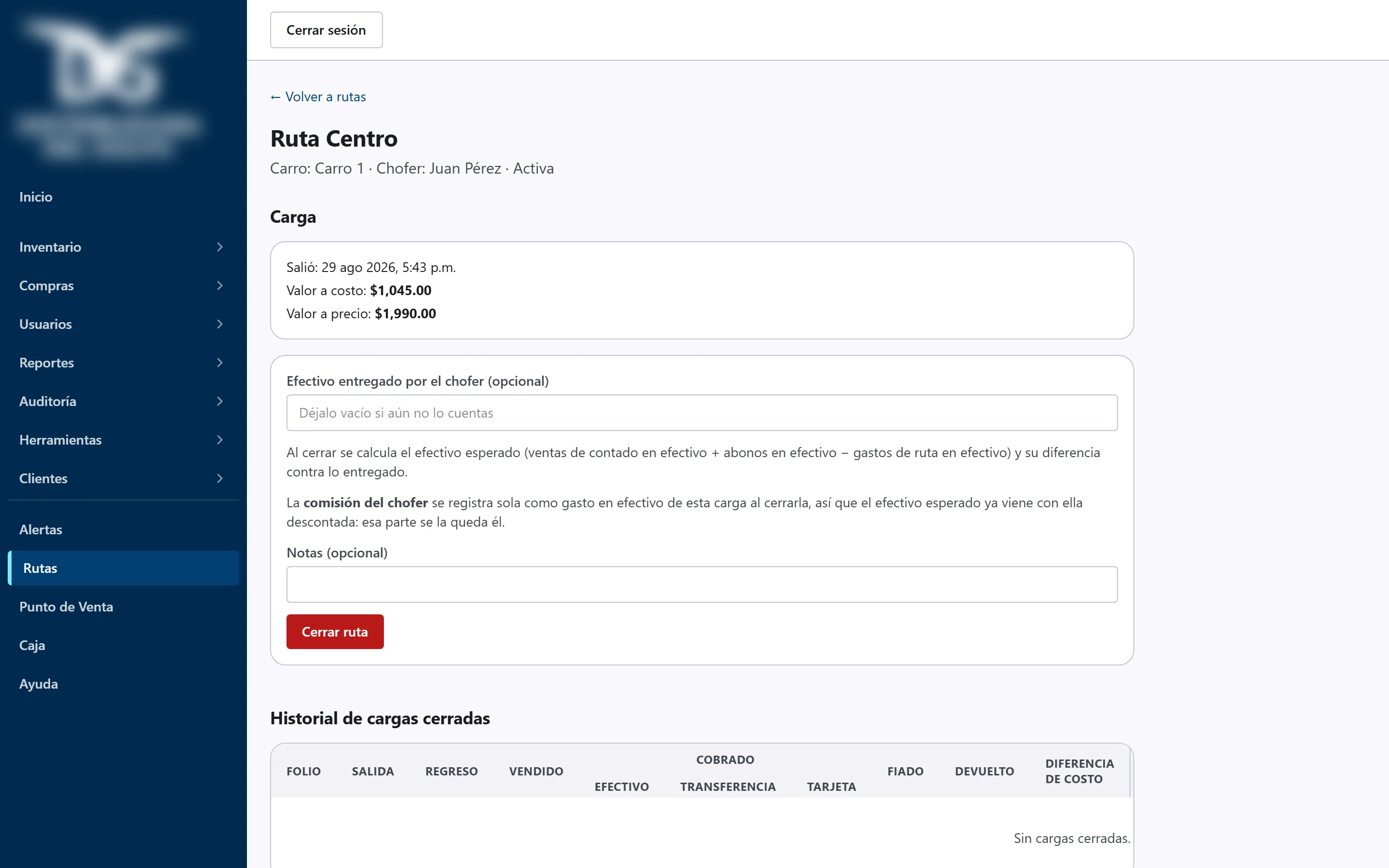
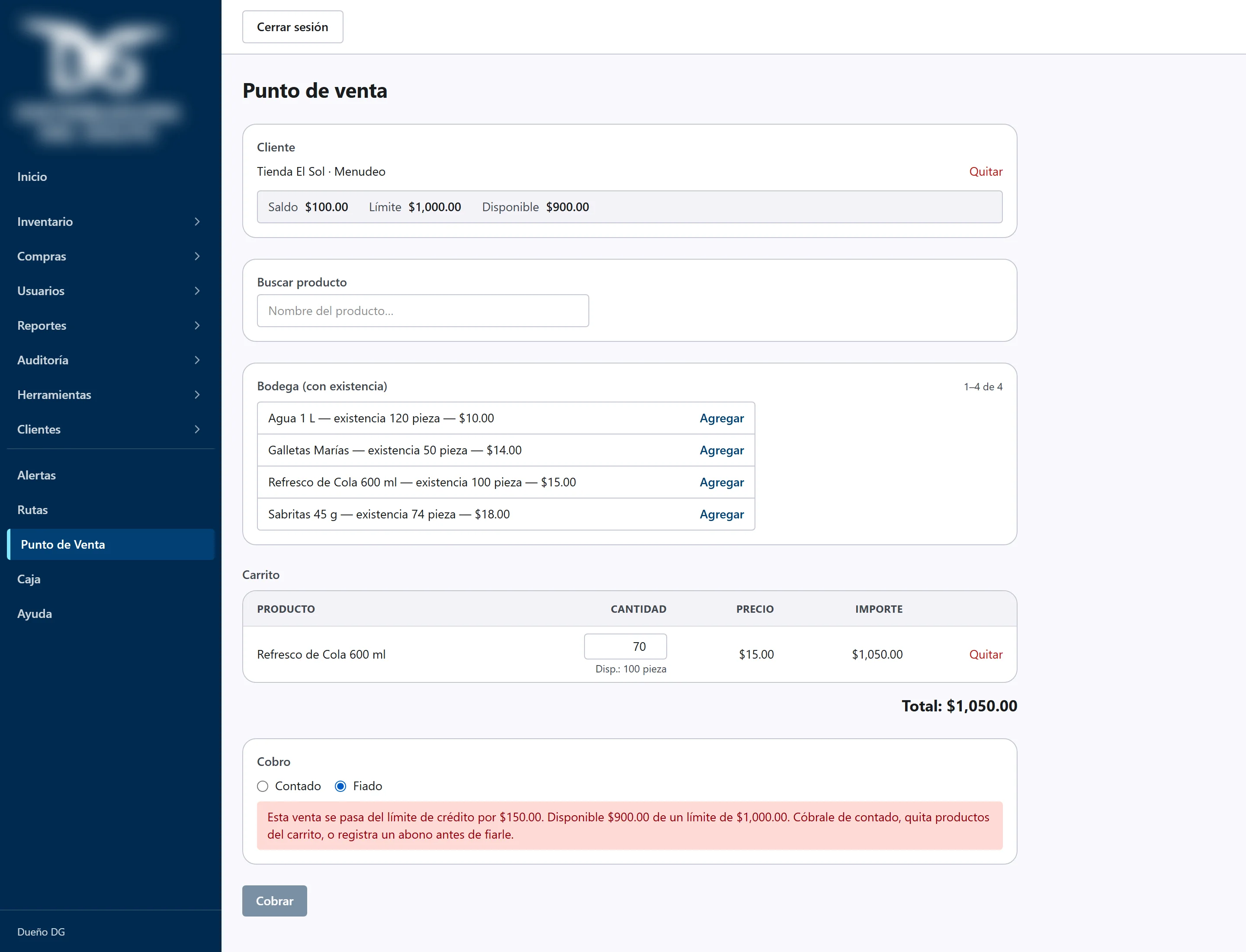
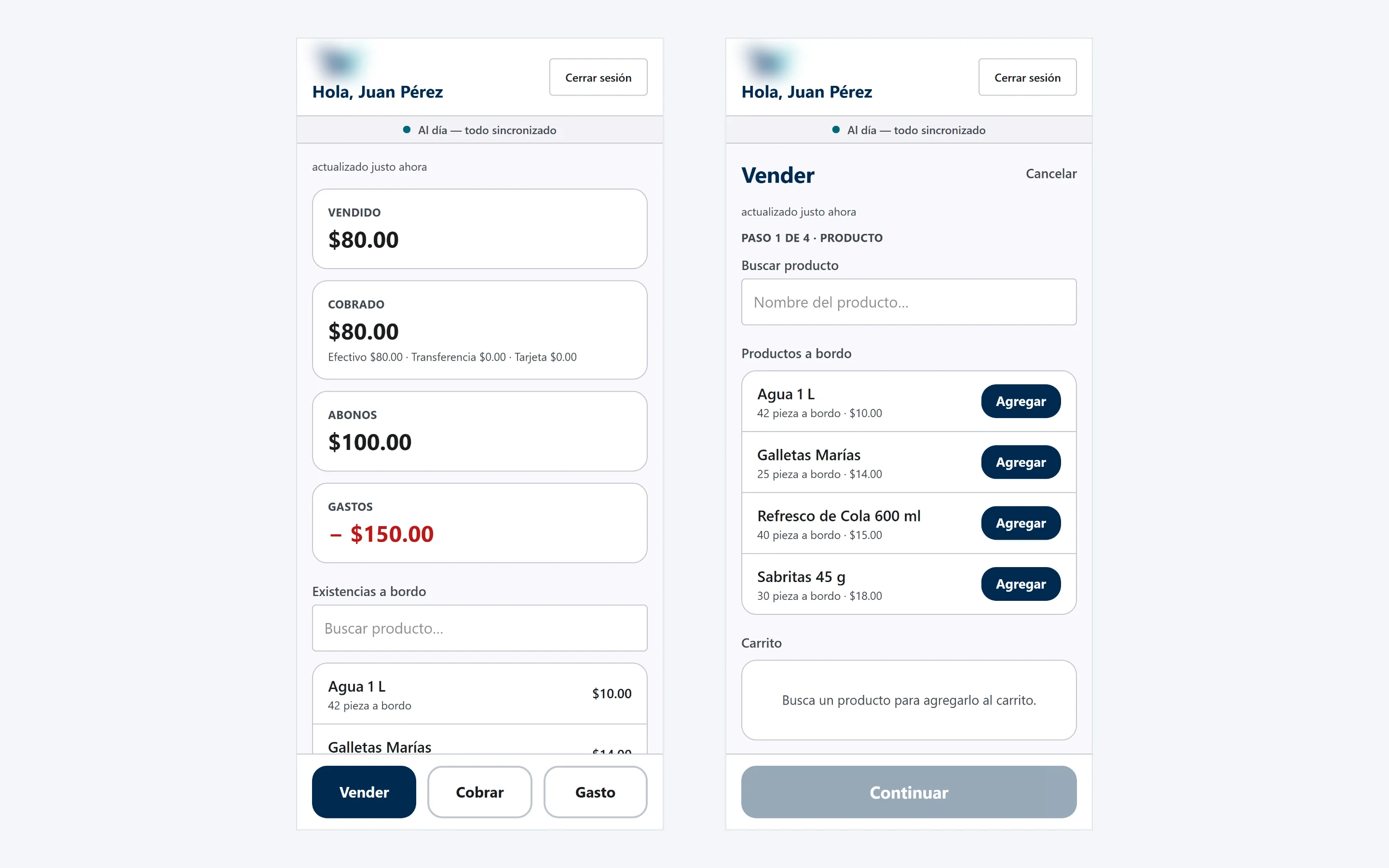
| 2. Warehouse, routes and point of sale | Transfers between warehouse and trucks with folio and responsible user. Routes with customers and driver. Load opening and closing. Counter POS with receipt. Four-screen driver app: home, sell, collect, expense. |
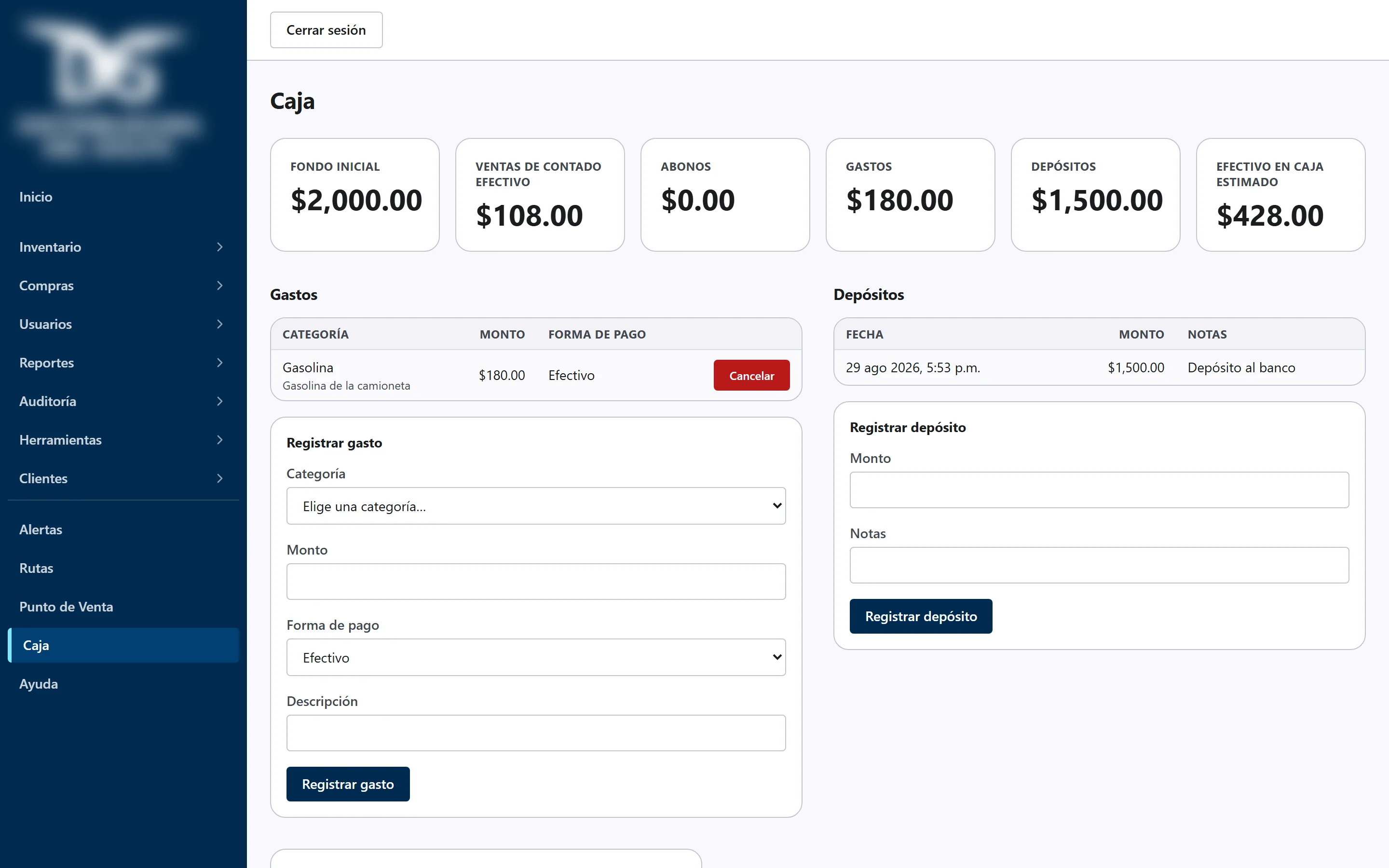
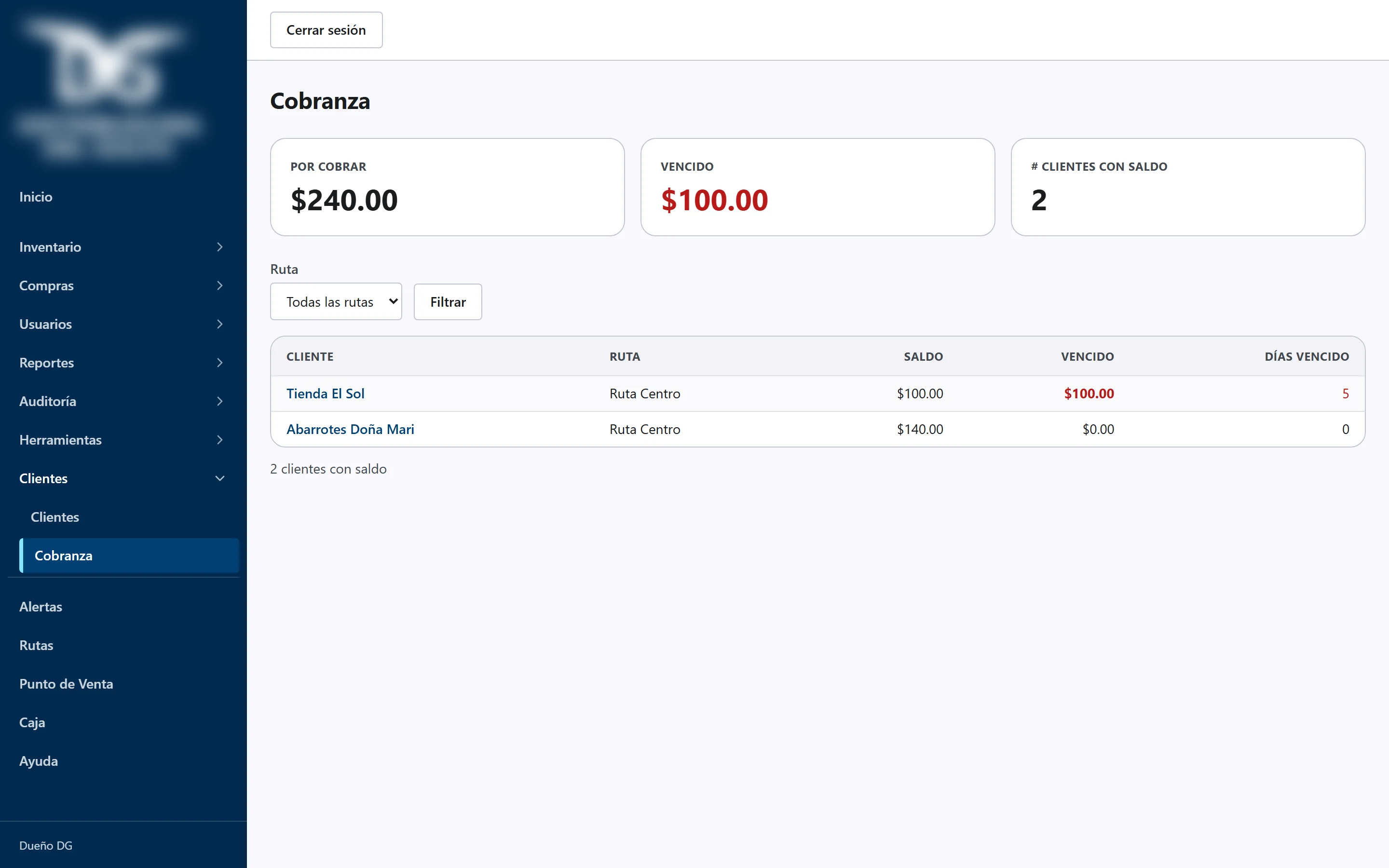
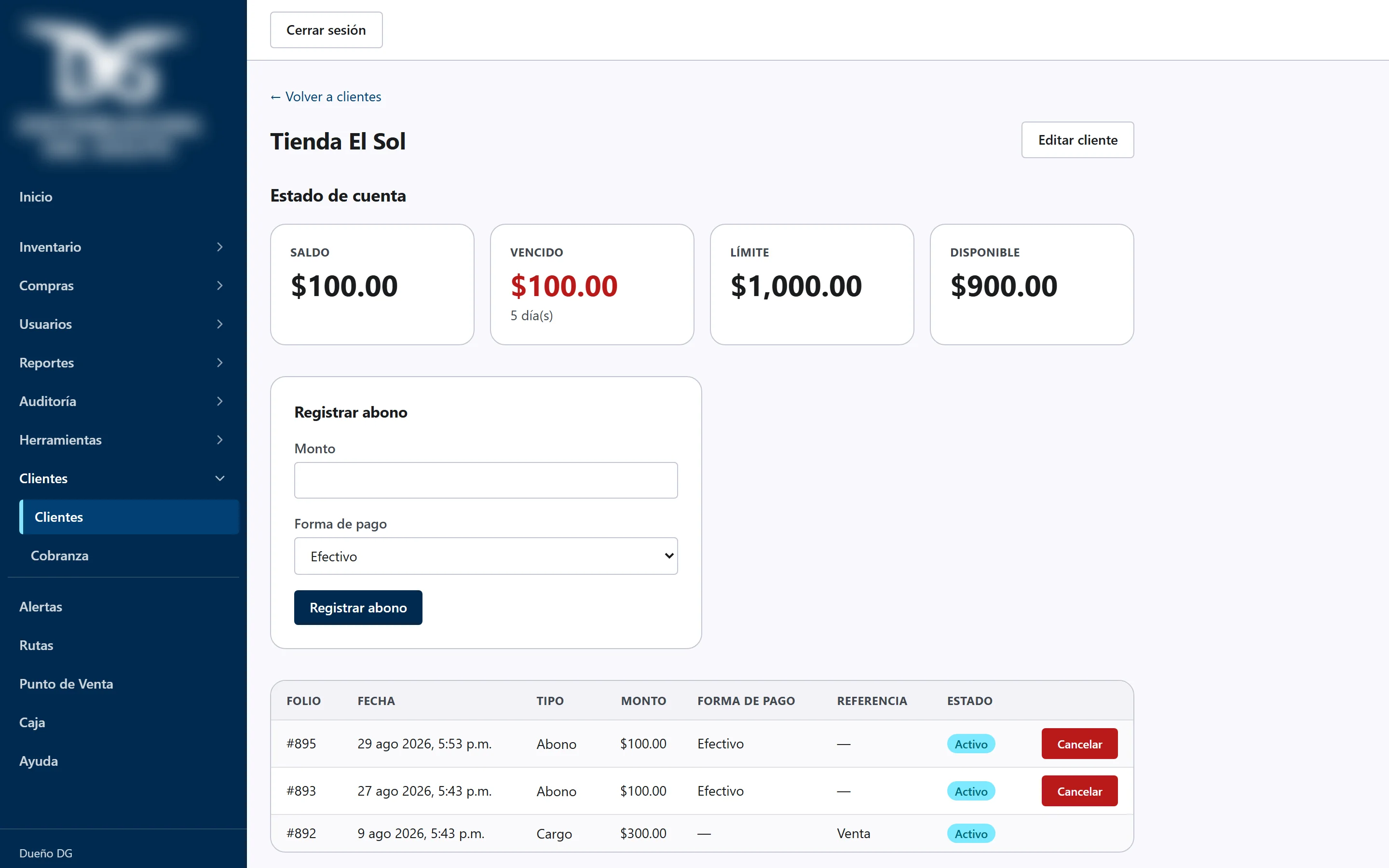
| 3. Credit, collections and cash | Credit limit and terms per customer, statement with aging, automatic blocking of sales over the limit, daily collections. Daily cash with expected vs delivered and the difference computed by the database. |
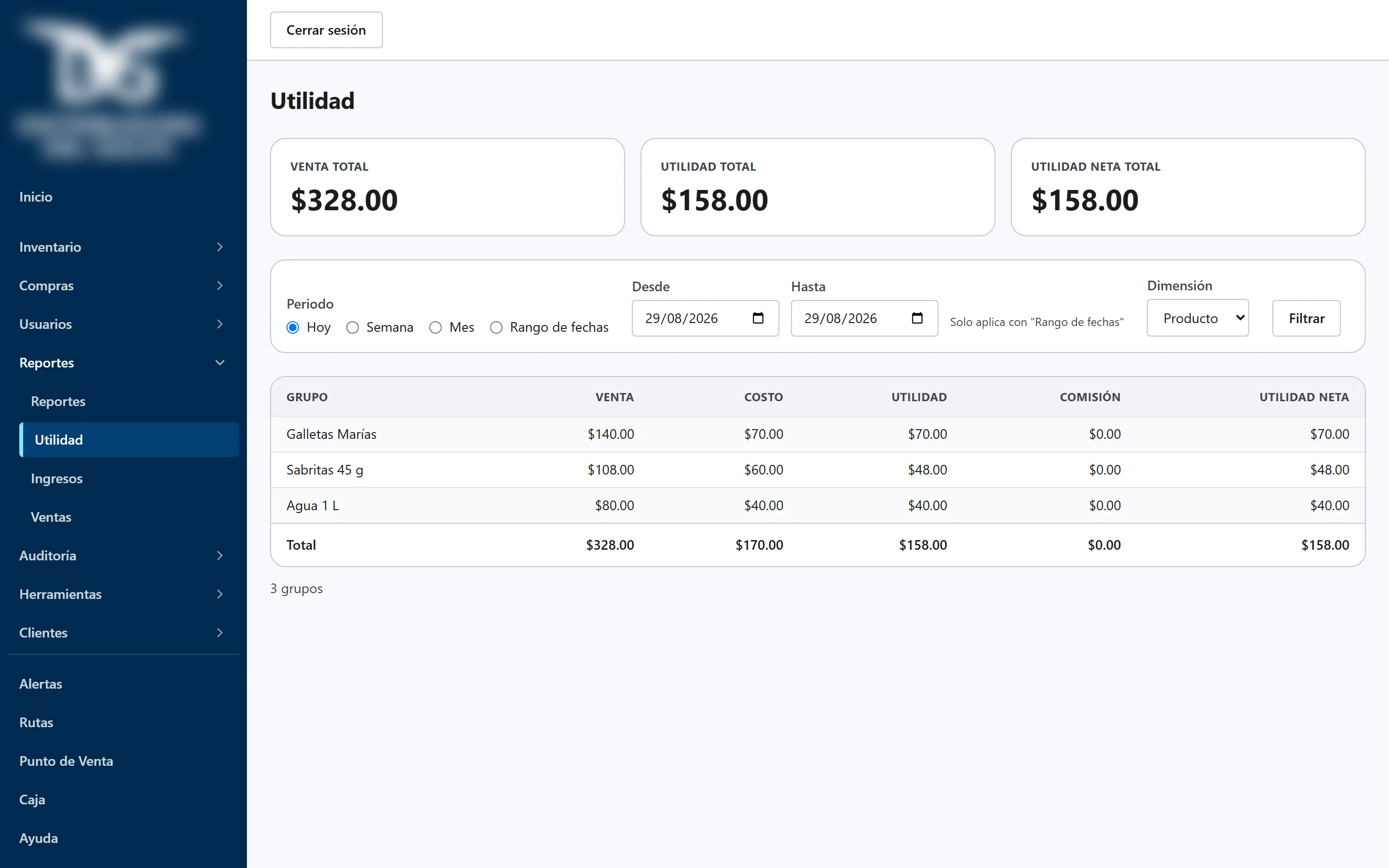
| 4. Purchases, costs, commissions and profit | Suppliers and purchases that update inventory on their own; average and last cost; commissions per driver, product and category with a five-level hierarchy; profit by product, customer, seller and route. |
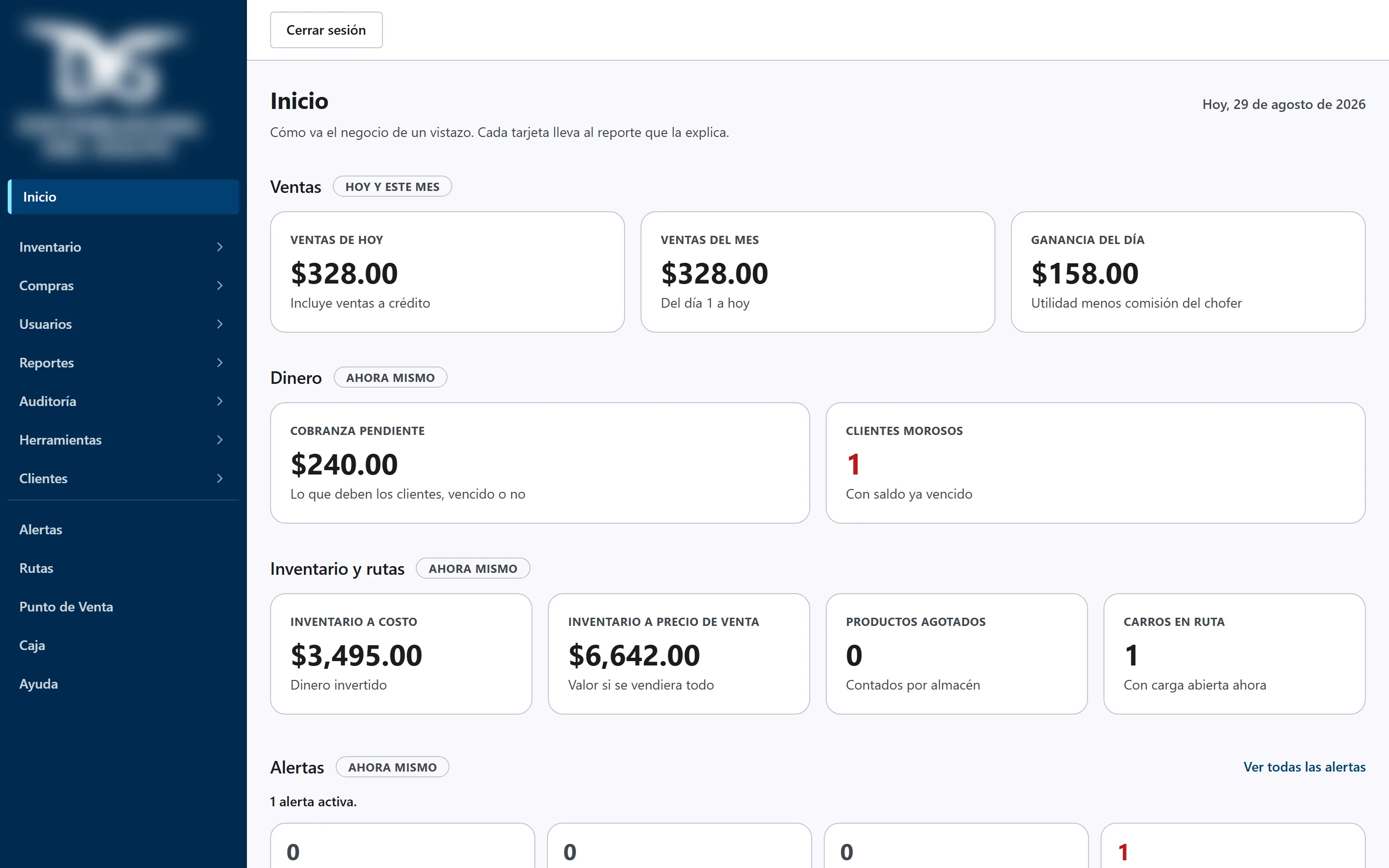
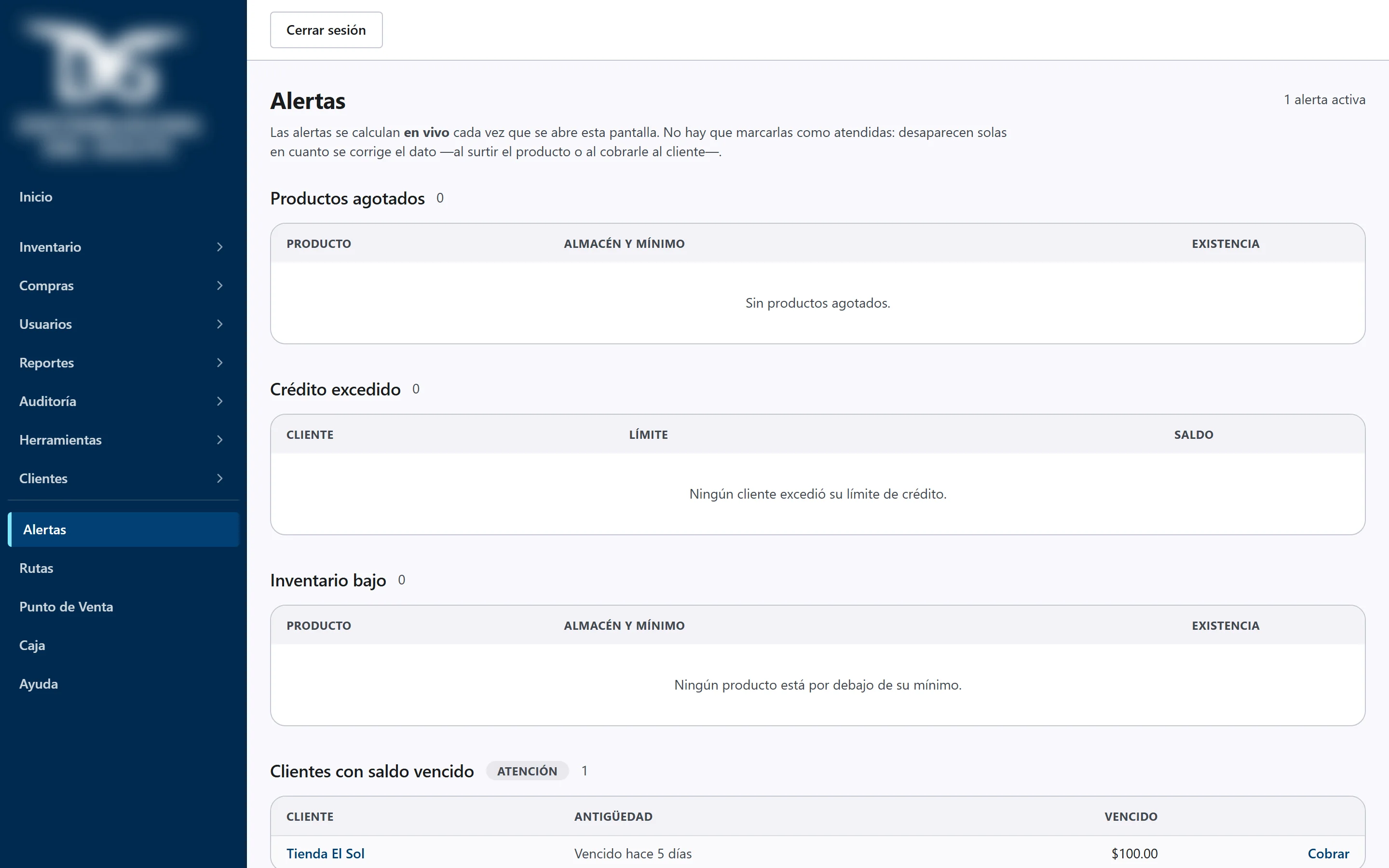
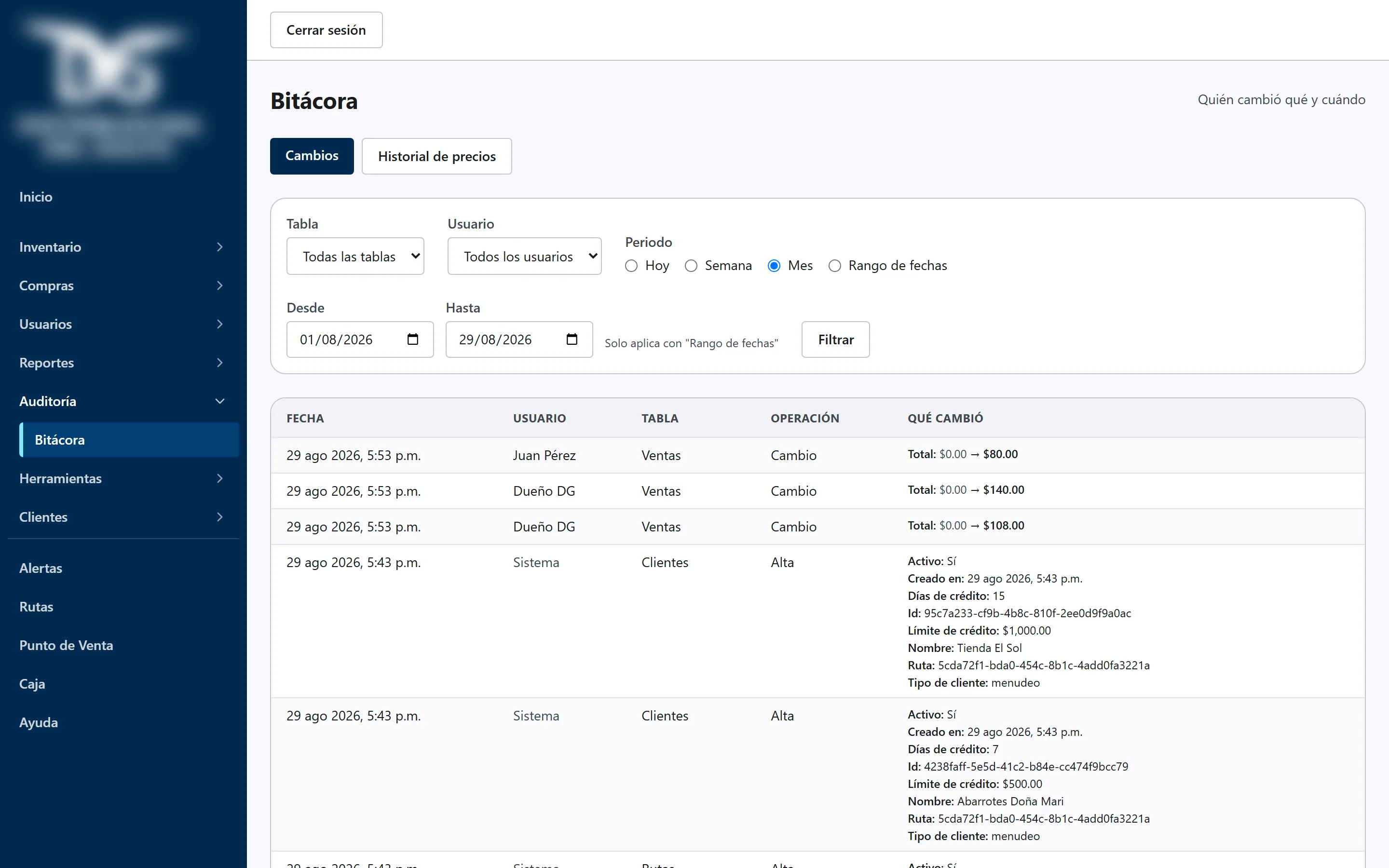
| 5. Reports, alerts, dashboard and audit | Cash flow by concept, product analytics, per-driver report. Four live alerts. Trigger-based audit log over fifteen tables; sales are never deleted, only cancelled with a reason. Nine-indicator dashboard. |
| 6. Offline, bulk import, backup and delivery | The driver app works all day without signal and syncs in order when the network returns. Bulk import from the client's spreadsheet with a row-by-row preview. Daily encrypted backup in two places, one of them the client's own account. User manual inside the app. |
Adjustments after delivery
- Integer quantities in every capture and driver commission deducted automatically at load closing.
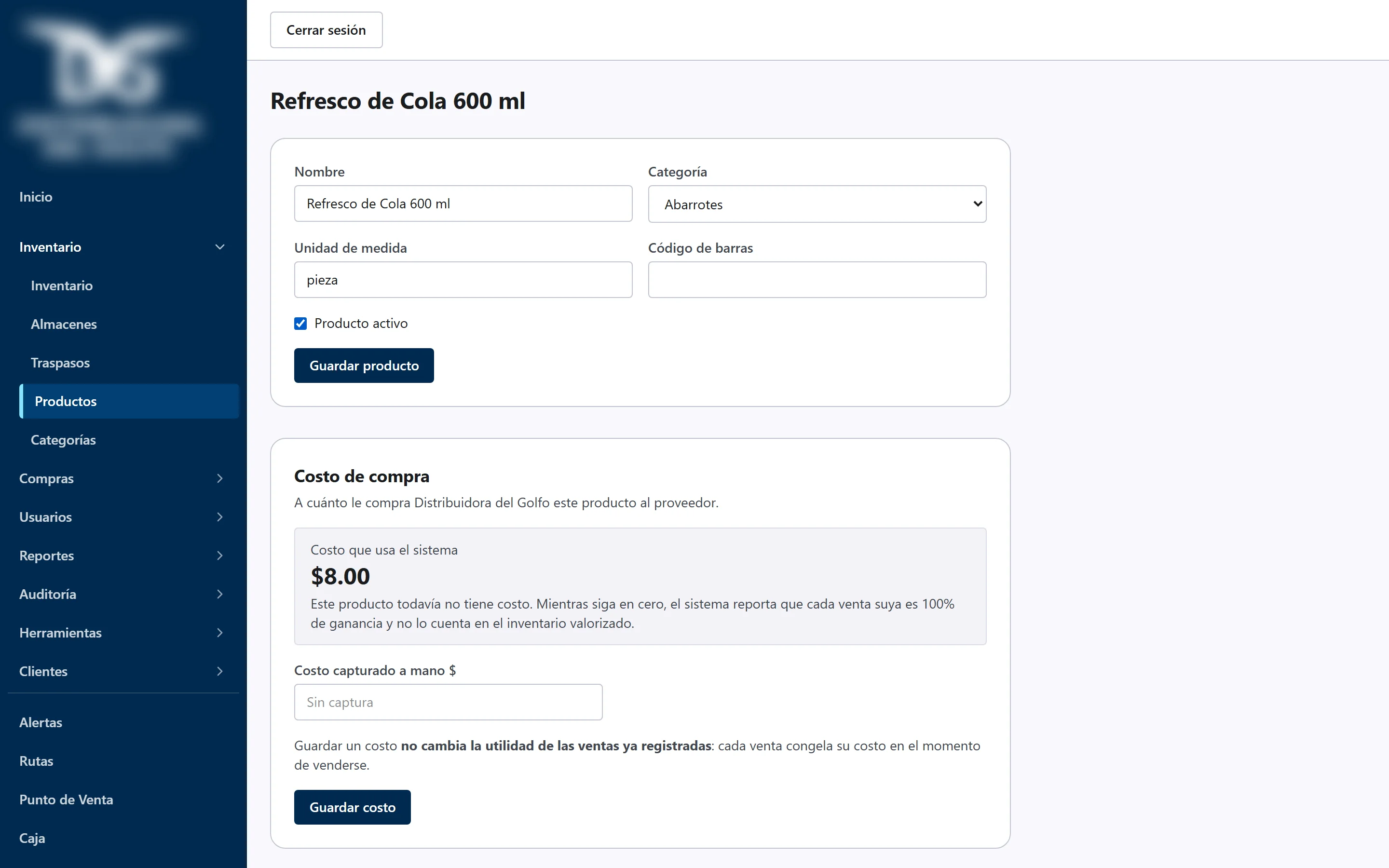
- Purchase cost editable by hand on the product card.
- Truck onboarding by the owner from the system itself.
Screens
How it was built
- 01
Written product definition
Nineteen-module scope, business rules validated with the owner and a six-phase plan with a deliverable per phase. Nothing was renegotiated silently.
- 02
Design system before the first screen
One visual language for the admin area and the driver app.
- 03
Plan per phase, tests first, review
Every task was built with tests written before the code and reviewed before merging.
- 04
Quality gate before closing each phase
Clean build and four green suites. Delivery run: 1,148 automated tests, including one that verifies inventory, cash, credit and profit reconcile with each other, and a cold-start test with the network off.
- 05
Verification with evidence
The 'Requirements met' document maps all 19 modules to the exact screen where each is fulfilled and names what is missing.
- 06
Delivery and production
Six PDF documents, training, restore of the backup tested. Live since August 18, 2026 with 183 products imported from the client's spreadsheet.
Technology
Next.js 15, React 19 and TypeScript; Tailwind 4 with a single design system; Supabase (PostgreSQL with row-level permissions, atomic functions per business operation and trigger-based audit log); offline-first PWA with an IndexedDB write queue; Vercel with a custom domain. Tests with Vitest, pgTAP and Playwright. 49 migrations, 24 tables, 6 views.
Verified figures
- Modules in scope
- 19
- Phases accepted working
- 6
- Automated tests
- 1,148
- Development time
- about 6 weeks
- In production since
- Aug 18, 2026
- Products imported from the client's spreadsheet
- 183
- Migrations · tables · views
- 49 · 24 · 6
- Delivery documents
- 6
Business metrics (route closing time, cash differences, overdue receivables) will be published once the client measures them after 90 days of use. We do not estimate any.
What changed
Drivers sell, collect and log expenses without signal
From their phone; the system sends everything on its own when the network returns, in order and without duplicates. No signal is the normal mode of work, not a failure.
Route closing reconciles itself
On closing a load, the system computes what was sold, returned and the difference, and compares the cash the driver must hand in against what they deliver.
Credit limits are real
A credit sale over the customer's limit is rejected with balance, limit and available amount shown before charging.
Cash cut computed by the database
Opening float, cash sales and payments, expenses and deposits, with the difference shown in red when it does not match.
Everything in one place
Inventory per warehouse, prices per truck, purchases and costs, commissions, collections and cash, with a nine-indicator dashboard on login.
The client owns everything
Code, database, domain and a daily encrypted backup stored in their own account; the technical manual lets any developer continue.
Sound familiar?
Inventory in spreadsheets, sales reps on the road, credit you only know about on Friday. Tell us how you run it today and in 20 minutes we will tell you whether a custom system makes sense.